Every control, area by area.
The homepage shows five screens. This is the whole panel. Nothing here is a mockup of a feature that does not exist. If it is on this page, it ships.
Every install runs the same admin panel. Your front-end is where your platform gets its own look, and that is covered in the pricing tiers.
Want to drive it yourself? Message us on Telegram and we will send you admin credentials to a live platform, usually within the hour. Ask for a live login.
Every account, and what you owe
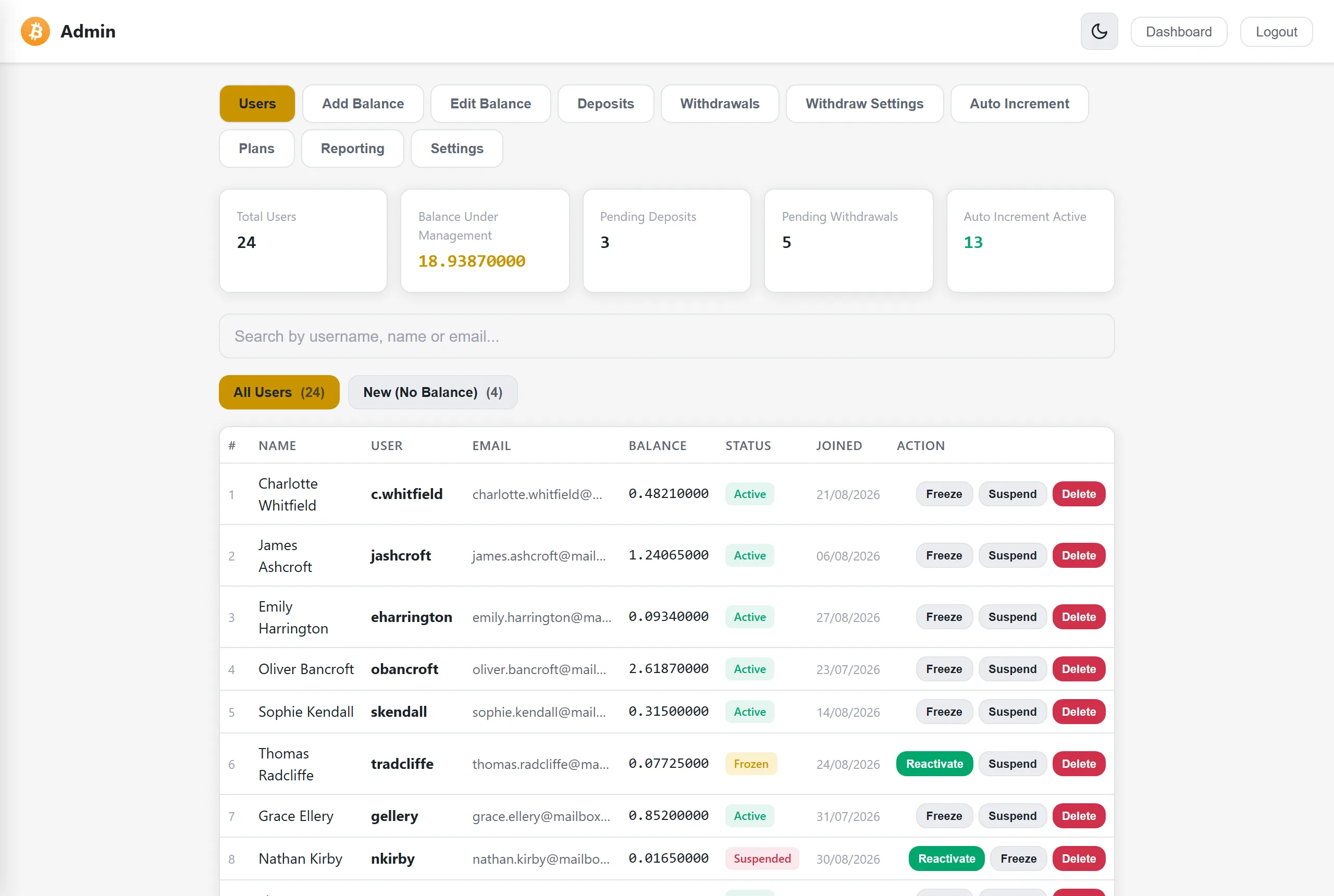
The panel opens on the numbers that matter: how many accounts you have, the total balance you owe them, and how many deposits and withdrawals are waiting on you. Below that, every account with its balance, status and join date, searchable by name, username or email. Freeze an account to block deposits, investments and withdrawals while leaving the user able to sign in and see it. Suspend to block sign in entirely and end their session. Delete when you mean it. All from this screen.
Money in, on your confirmation
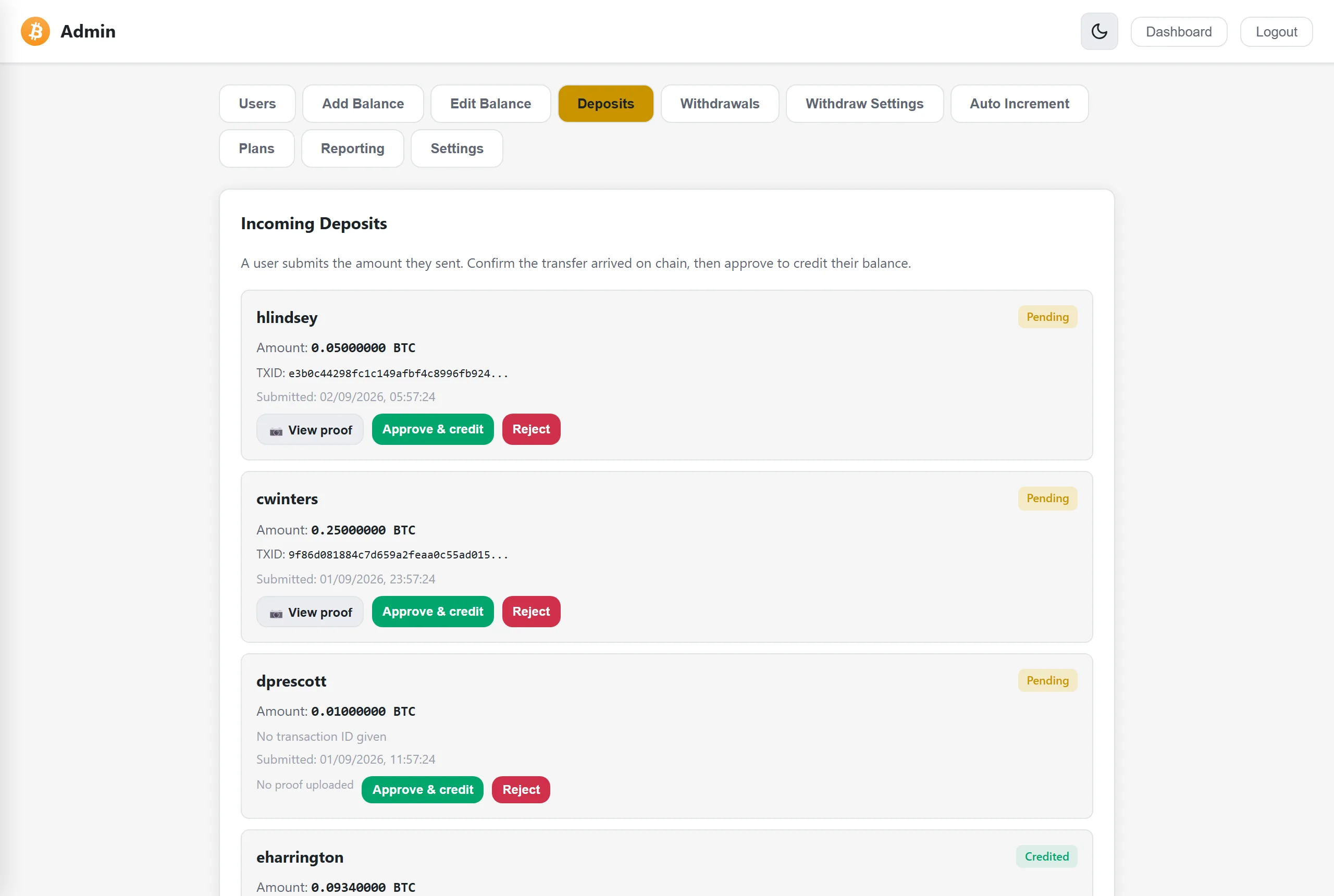
A user submits the amount they sent, the transaction ID if they have it, and a screenshot of the payment. The proof opens in one click beside the approve button, so you confirm the transfer arrived without leaving the queue. Approving credits their balance and writes the transaction. Nothing is credited until you say so, which is the point.
The approval queue
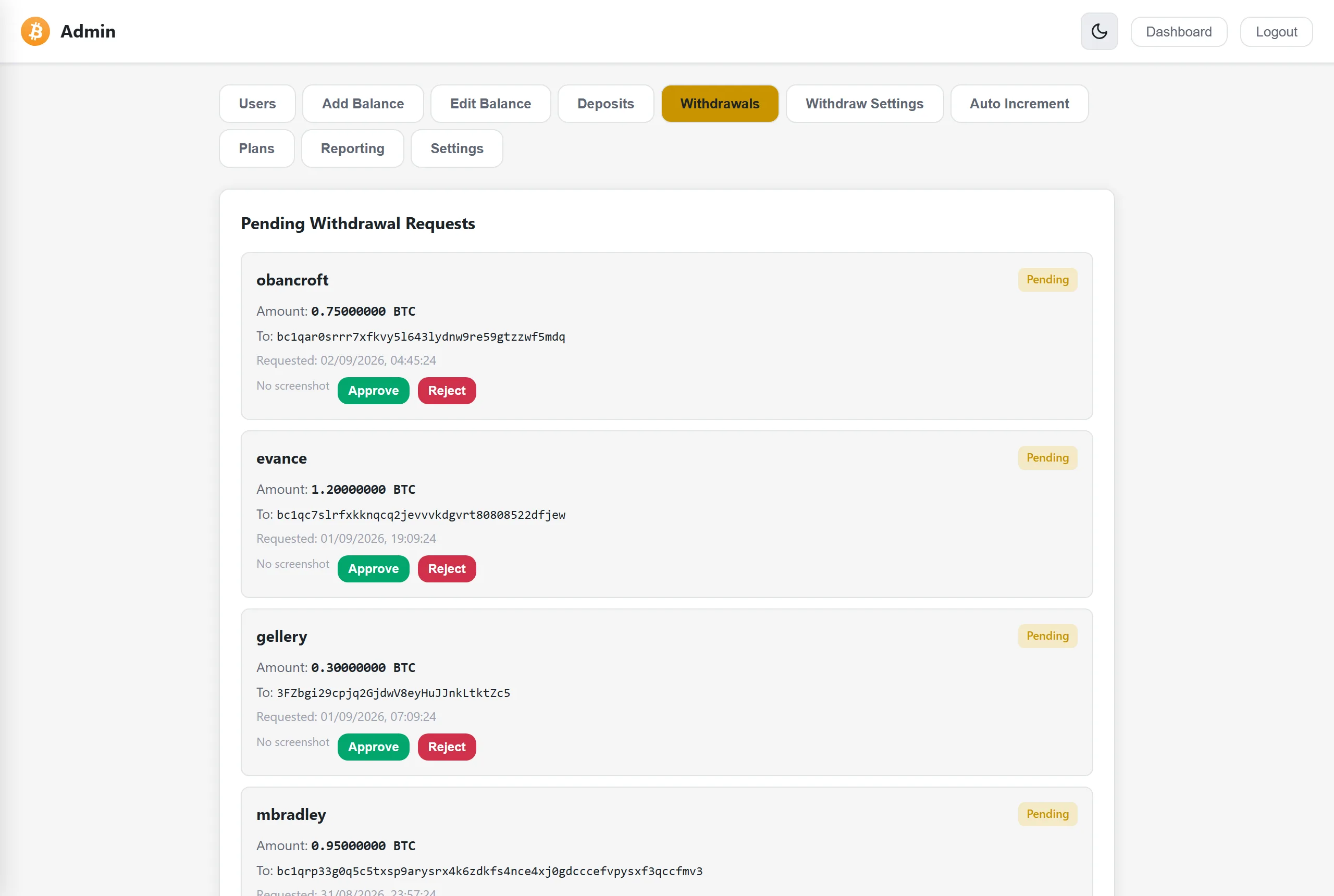
Pending requests with the user, the amount and the destination address, oldest first. Approve to debit the balance and mark it paid, or reject. Nothing leaves the platform without a person deciding, and the queue is the first thing you open each morning.
Investment plans and tiers
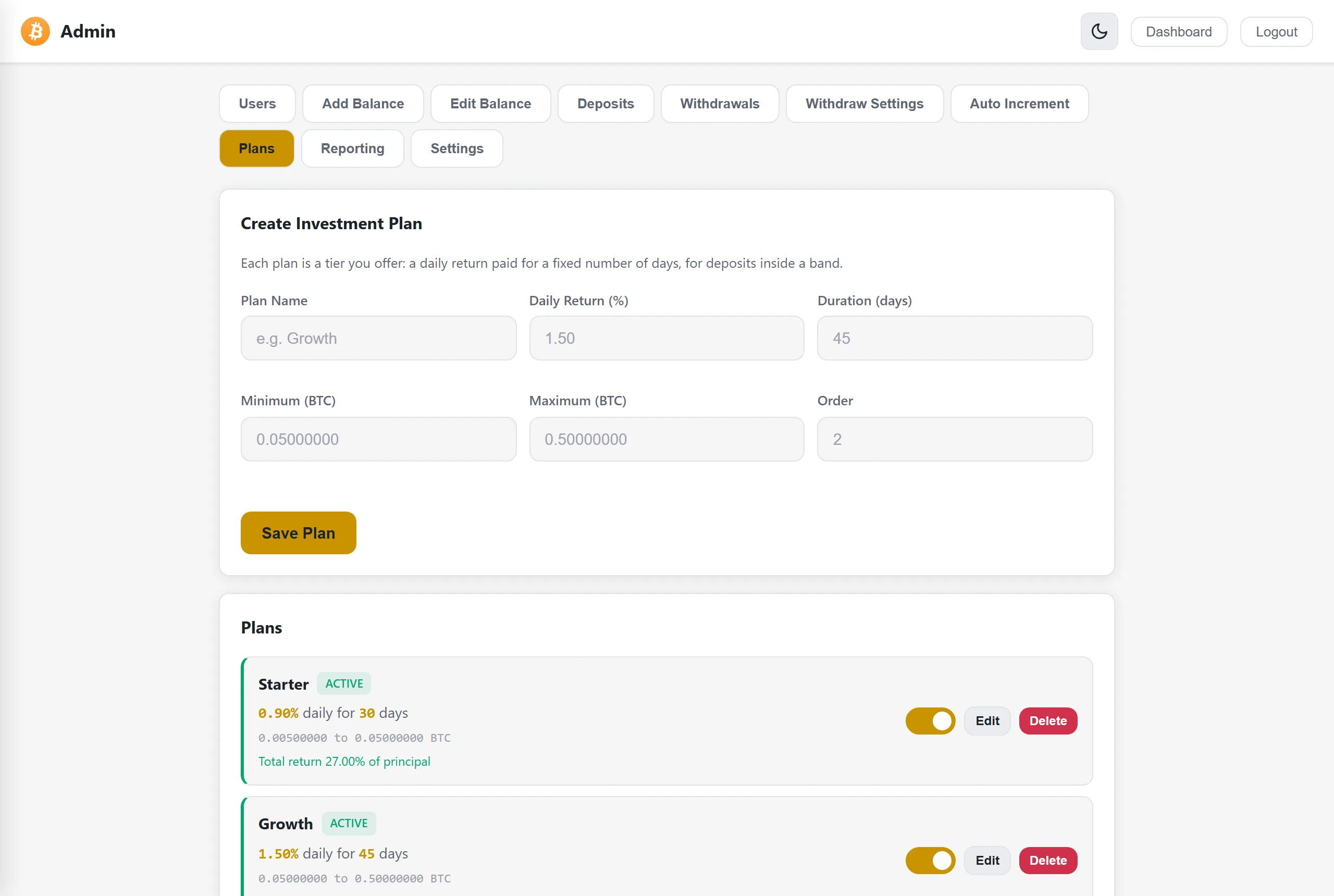
Build a tier from four numbers: daily return, term in days, and the minimum and maximum a user may stake. The panel shows the total return a tier pays before you save it. Switch a plan off without deleting it, and existing investors keep the terms they bought, because each investment stores its own.
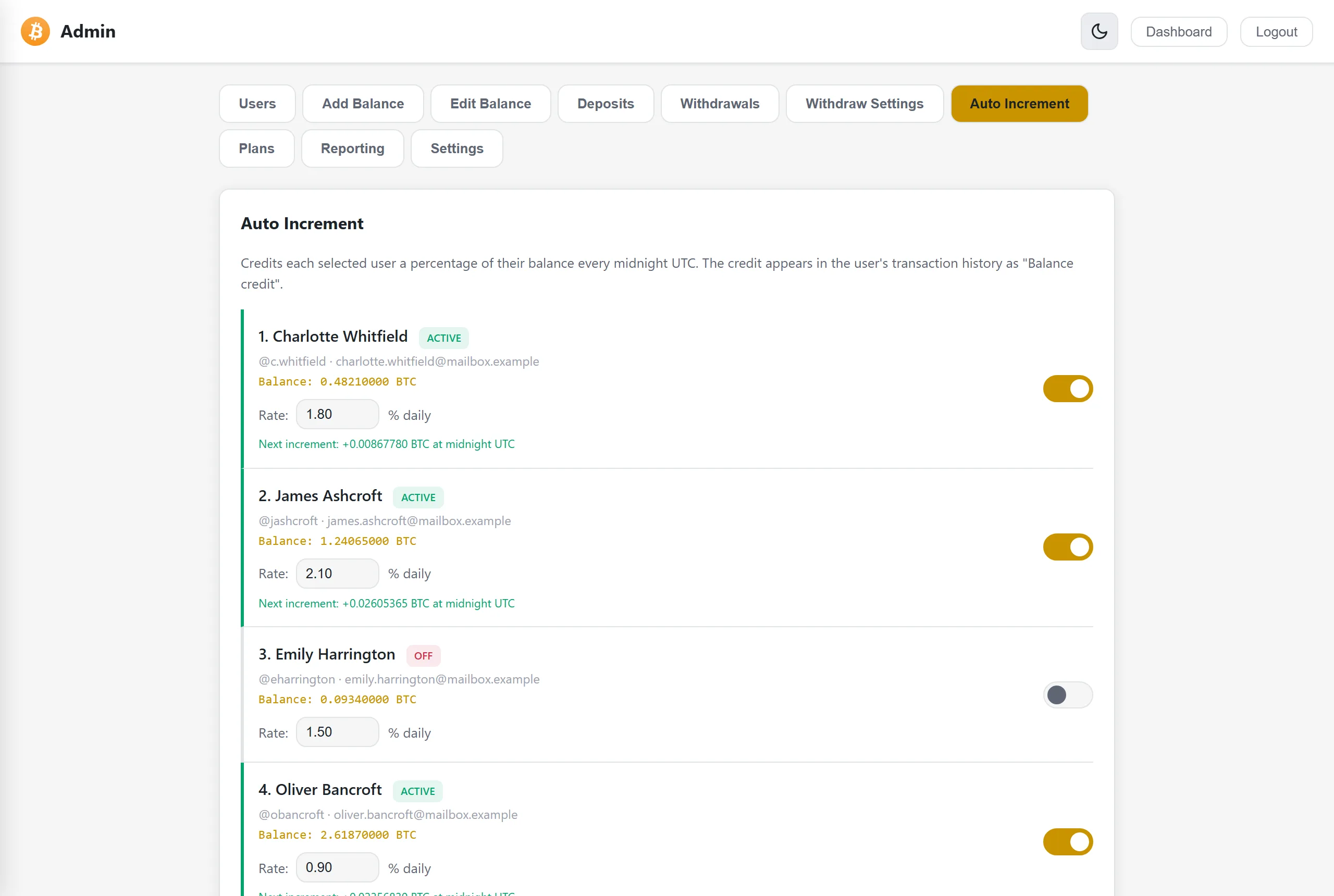
The daily payout engine
Returns are credited once a day at midnight UTC, automatically. Set a rate per account, see the next credit before it lands, and switch any account on or off. On the final day of a term the platform returns the stake with the last payout and closes the plan.
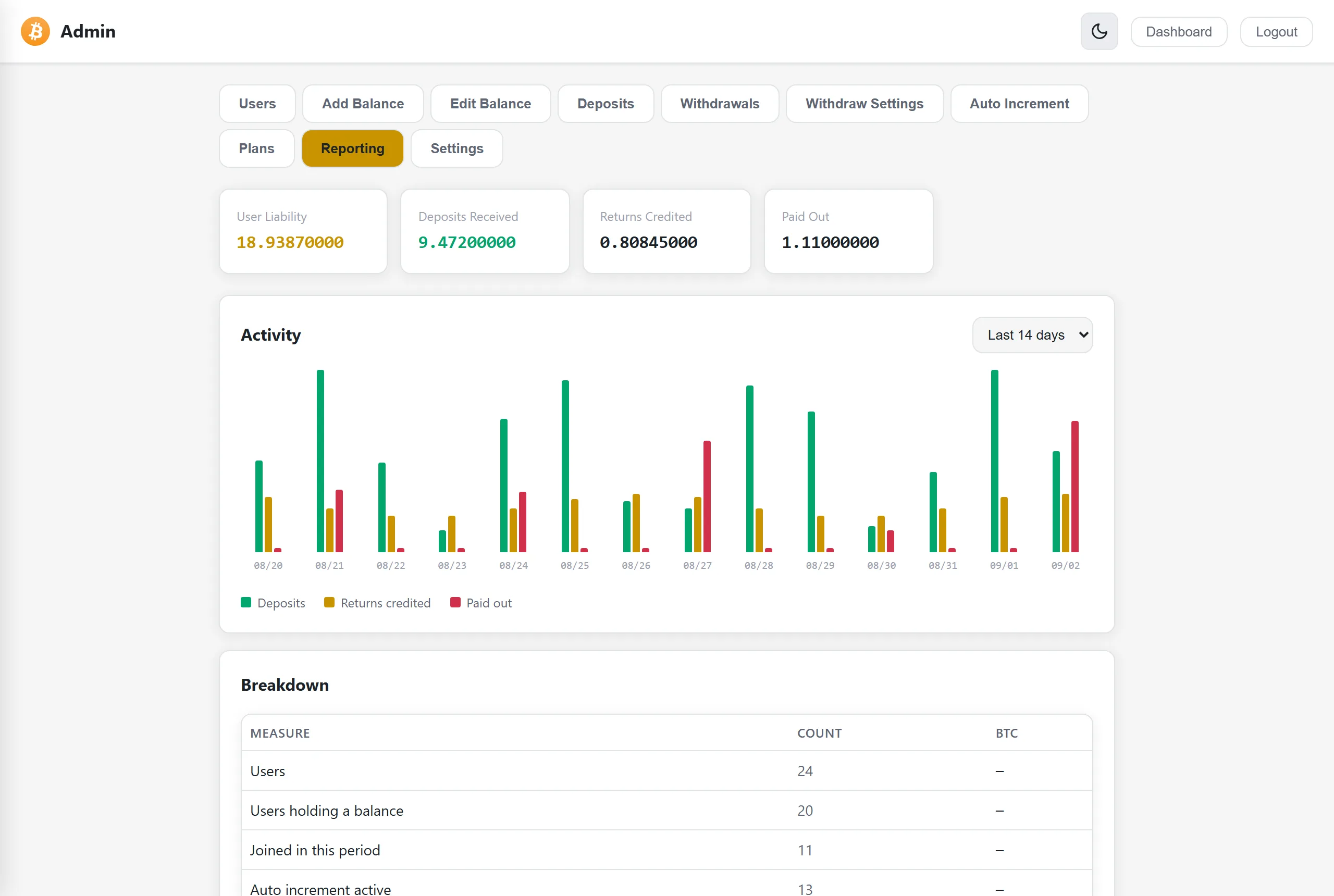
Liability, in and out
What you owe users, what came in, what you credited as returns and what you paid out, over seven, fourteen or thirty days. The liability figure is the one operators find out about too late: it is what your users could ask for today, and it is not the same as what you hold.
Two-factor on the panel
The panel sits behind its own login on a separate URL, with two-factor authentication using any TOTP app. Change the admin password and rotate the 2FA secret from here. Login attempts are rate limited, and the panel carries a noindex tag so it stays out of search results.
Withdrawal rules are yours
Set the minimum balance before a user may request a withdrawal, the verification amount they must send, the wallet address they send it to and the QR code shown with it. The instruction text your users read at the moment they withdraw is yours to write.
Support goes where you are
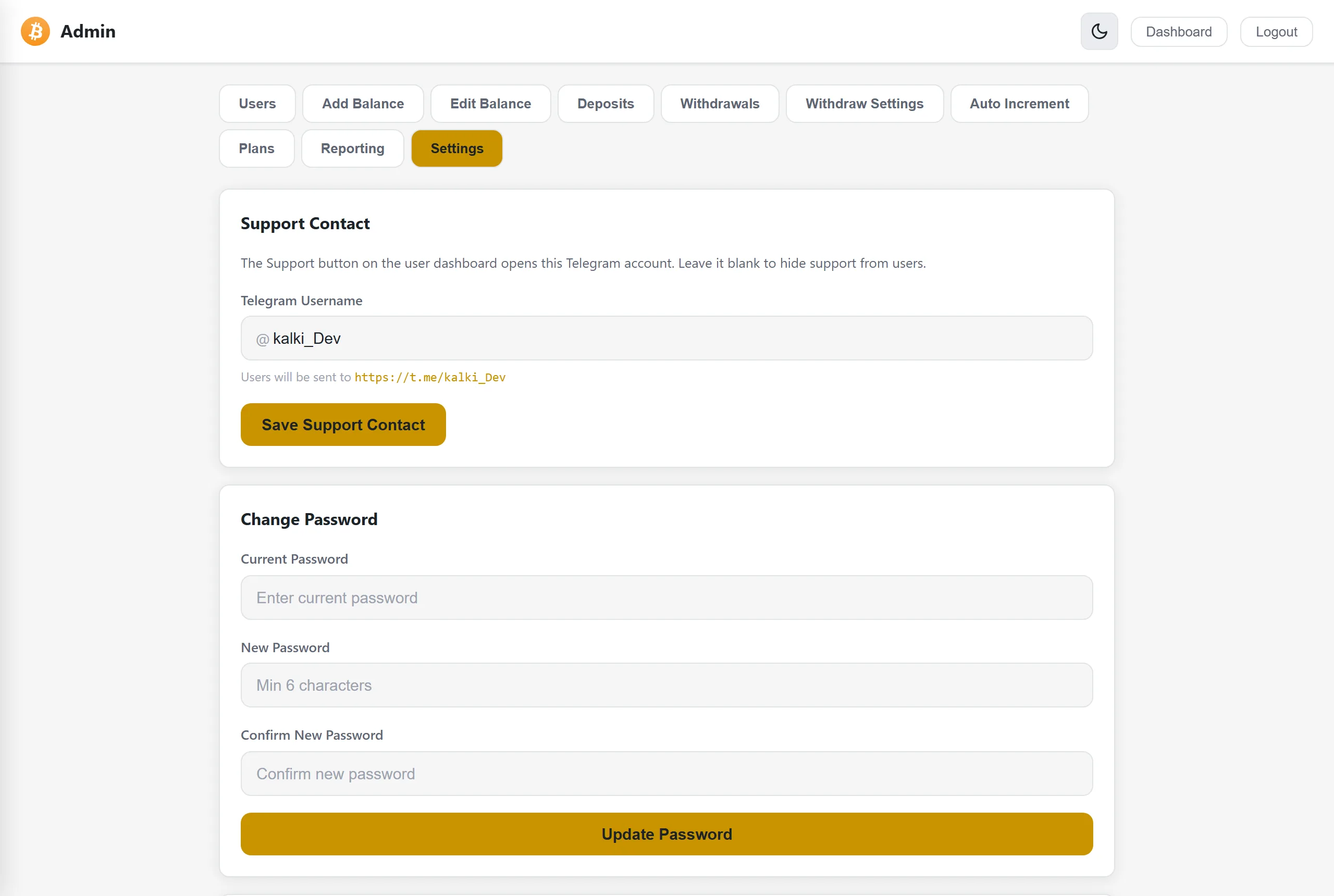
Put your Telegram username in settings and the Support button on every user dashboard opens a chat with you. Leave it blank and support is hidden. No ticket system to staff, no second inbox to watch.
Common questions
What can I actually control from the admin panel?
Accounts and balances, incoming deposits, the withdrawal approval queue, investment plans and their daily rates, per account payout control, liability reporting, withdrawal rules, and two factor authentication on the panel itself.
Can I approve or reject a withdrawal manually?
Yes, and that is the default. Pending requests show the user, the amount and the destination address, oldest first. Approving debits the balance and marks it paid. Nothing leaves the platform automatically.
How do I check a deposit really arrived?
The user submits the amount they sent with an optional transaction ID, and can attach a proof screenshot. The panel shows the proof next to the approve button, so you confirm the transfer on chain and credit the balance without leaving the queue.
Can I freeze or suspend an account?
Yes. Freezing lets the user sign in and see the account but blocks deposits, investments and withdrawals. Suspending blocks sign in entirely and ends their current session. Both are reversible, and accounts can also be deleted.
How are investment returns paid?
Once a day at midnight UTC, automatically. You set a rate per account, see the next credit before it lands, and switch any account on or off. On the final day of a term the platform returns the stake with the last payout.
What does the reporting screen show?
User liability, deposits received, returns credited and amounts paid out, over seven, fourteen or thirty days, with a daily activity chart and a breakdown table. Liability is what your users could ask for today, which is not the same as what you hold.
Do I need technical skills to run it?
No. We install and configure the platform on your server. Everything you do day to day is in the admin panel, so you need to be able to use a web dashboard, not to read code.